
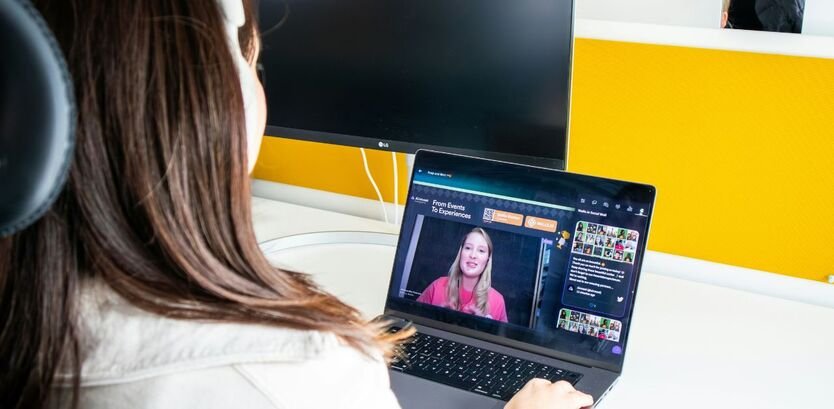
The Profound Impact of Technology on Education: Six Key Approaches Reshaping How We Learn
Imagine a classroom where learning isn’t confined to textbooks or four walls. Instead, it’s a dynamic, personalized journey tailored just for you. This isn’t science fiction; it’s the reality of modern learning, powered by digital tools.
Technology empowers various aspects of the educational experience, from classroom dynamics to personalized learning approaches. The deep and accelerating impact of technology on education is prevalent and would be foolhardy to ignore.
In fact, technology can enable new opportunities for students to collaborate, communicate, and access resources that strengthen their education globally. Because of this, parents and educators must actively consider and leverage the benefits of technology in education.
This shift means moving beyond simply handing a student a tablet. It’s about strategically integrating tools to enhance, not replace, the magic of human teaching. Let us explore six key approaches that highlight the profound impact of technology on education today.
Benefits of Digital Learning
Digital learning fundamentally changes the classroom experience, making it more flexible, engaging, and relevant to the modern world. It helps bridge gaps and ensures that learning is accessible to almost everyone.
Increased Engagement and Curiosity
One of the biggest positives is how digital tools capture students’ attention. Interactive whiteboards, multimedia presentations, and educational games transform dry subjects into dynamic experiences.
When concepts are presented through videos, simulations, or augmented reality (AR), they become memorable. This kind of content sparks inquisitiveness in children and boosts their natural curiosity, which research shows directly contributes to greater academic success.
Enhanced Accessibility and Equity
Technology breaks down geographical and socioeconomic barriers that once limited access to quality resources. A student in a rural area can now access the same digital libraries, lectures, and expert tutors as a student in a major city.
Digital learning tools promote equity of access. They provide resources for students with diverse learning needs, such as text-to-speech software for reading difficulties or customizable interfaces for visual learners. This ensures that every student has a fair shot at success.
Streamlined Communication and Collaboration
Digital platforms like online learning management systems (LMS) and collaborative document tools allow students to work together on projects in real-time, regardless of where they are. They can share ideas, give feedback, and build teamwork skills crucial for future careers.
These tools also greatly improve communication between schools and families. Parents can easily check grades, read teacher notes, and communicate about their child’s progress through online portals, fostering a stronger home-school connection.
Practical Takeaways for Digital Learning:
- For Parents: Encourage the use of educational apps or online modules that align with your child’s in-class topics. Use technology to explore concepts they struggle with outside of homework time.
- For Educators: Use digital resources to flip the classroom. Assign videos or interactive lessons for home viewing so that valuable class time can be spent on problem-solving and deeper discussion.
Hybrid Learning Solutions
Hybrid learning, sometimes called blended learning, represents the sweet spot between traditional in-person teaching and full remote education. It combines the structure and social interaction of a physical classroom with the flexibility and resources of digital learning.
This model became incredibly important during global changes, but its long-term benefits are clear: it creates a flexible and robust educational system.
Blending Physical and Digital Spaces
In a hybrid model, students might attend classes in person a few days a week and complete self-paced modules or participate in online discussions the rest of the time. This combination allows educators to leverage the best of both worlds.
In-person time can focus on hands-on experiments, group discussions, and personalized teacher guidance, while online time allows students to review lectures, access diverse resources, and learn at their optimal pace.
Flexibility for Diverse Learners
One of the key advantages of hybrid solutions is the flexibility they offer. Students who might have scheduling conflicts, long commutes, or unique needs can still maintain their academic progress.
By providing 24/7 access to recorded lessons and course materials, students can revisit complex topics until they fully grasp them. This adaptability helps reduce stress and pressure, leading to better overall outcomes and supporting individualized learning journeys.
Building 21st-Century Competencies
Hybrid learning naturally prepares students for the modern workplace. It requires strong time management, self-motivation, and digital literacy.
Students must learn to navigate online tools, manage multiple digital assignments, and communicate professionally across different platforms skills that are essential for higher education and professional life in a technology-driven society.
Practical Takeaways for Hybrid Solutions:
- For Students: Master the learning management system (LMS) used by your school. Treat online work sessions like a focused class period, minimizing distractions to build strong self-discipline.
- For Educators: When designing hybrid lessons, ensure the online component is complementary to the in-person activity, not just a digital replica of a worksheet. Use the classroom for social and collaborative activities that technology cannot fully replicate.
Virtual Classroom Best Practices
Virtual classrooms, whether used for hybrid components or fully remote learning, require specific strategies to be effective. It’s not enough to simply stream a lecture; the goal is to create an engaging, interactive, and connected online community.
Creating Structure and Routine
While virtual learning offers flexibility, maintaining a clear structure is vital. This includes setting predictable meeting times, outlining daily goals, and having clear expectations for online etiquette.
Best practices often include:
- Clear Agendas: Starting each virtual session with a visible agenda helps students focus and understand the plan.
- Asynchronous Options: Recording all live sessions and making them available ensures students who miss class or need a review can catch up easily.
Fostering Digital Citizenship and Safety
Teaching students to be responsible digital citizens is a core best practice. This involves discussions about online behavior, respecting privacy, managing screen time, and critically evaluating information found online.
Educators must also employ robust cybersecurity measures to protect student data, an essential component of ethical EdTech adoption. A secure virtual environment ensures students can focus on learning without worrying about privacy breaches.
Maximising Interaction Over Lecture
In a virtual setting, attention spans can be shorter. Effective virtual teaching minimizes long lectures and maximizes interactive tools like:
- Breakout Rooms: For small-group discussions and collaborative problem-solving.
- Polls and Quizzes: For instant checks of understanding and boosting engagement.
- Interactive Whiteboards (Digital): Allowing students to collectively annotate, draw, and share ideas visually.
Practical Takeaways for Virtual Classrooms:
- For Administrators: Invest in ongoing, high-quality professional development for teachers focused specifically on virtual pedagogy how to teach online, not just how to use the software.
- For Everyone: Remember the value of “face time.” Encourage students to use video when possible to maintain human connection, which is critical for social-emotional well-being.
EdTech Tools for Students

The sheer variety of technological tools available today demonstrates a massive shift in the learning landscape. These tools are the engines of the impact of technology on education, offering hands-on, multi-sensory ways for students to interact with subjects.
Beyond the Screen: Interactive Hardware
Technology in education includes much more than just computers and apps. Innovative hardware brings tactile and real-world skills into the classroom:
- Interactive Whiteboards and Displays: Replacing traditional chalkboards, these allow teachers to display multimedia content, annotate in real-time, and save lessons for later review.
- 3D Printing and Robotics: These tools bring engineering and design concepts to life. Students move from abstract ideas to creating tangible objects, fostering problem-solving and technical proficiency.
- Virtual and Augmented Reality (VR/AR): VR can take a student on a virtual field trip to the Roman Coliseum or deep inside a human cell, while AR overlays digital information onto the real world, turning a science textbook into a working model.
Digital Literacy and Skill Building Software
Specific software and coding platforms are designed to equip students with crucial 21st-century skills:
- Coding and Programming Classes: Learning to code is essentially learning a new type of critical thinking and logic. It teaches students how to break down complex problems into manageable steps.
- Learning Management Systems (LMS): Platforms like Google Classroom or Moodle centralize assignments, resources, and communication, teaching students organizational skills and how to manage a digital workflow.
The Power of Educational Apps
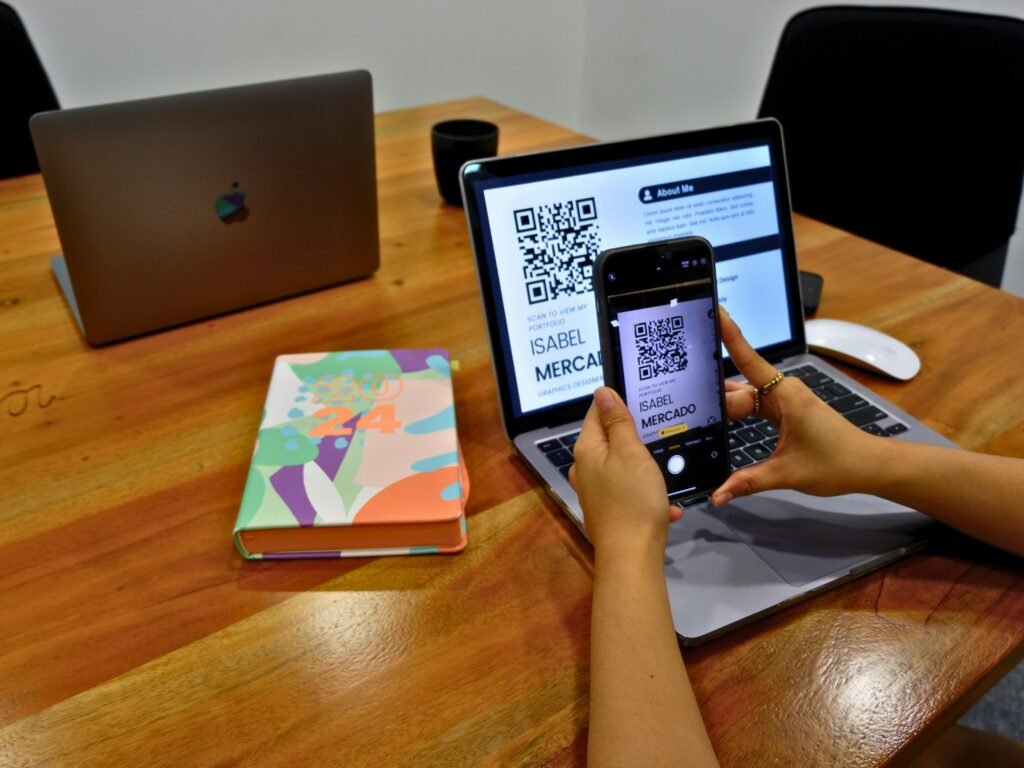
Educational apps are powerful tools for supplemental learning. They often use game-based mechanics to make repetitive practice enjoyable, helping students build foundational skills in reading, math, and languages through rewarding, interactive play. They provide immediate feedback, allowing students to correct mistakes instantly and deepen their understanding.
Practical Takeaways for EdTech Tools:
- For Parents: When choosing educational apps, look for those that are aligned with academic standards and prioritize learning outcomes over simply entertainment value. Look for clear user data and privacy policies.
- For Schools: Consolidate the number of digital tools used. A smaller set of well-integrated, consistently used tools is far more effective than a large, confusing collection that overburdens students and teachers.
Role of AI in Personalized Education
Artificial Intelligence (AI) is moving beyond the realm of futuristic concepts and becoming a powerful, practical tool for personalization. The impact of technology on education through AI lies in its ability to adapt and respond to the individual needs of every learner.
Adaptive Learning Platforms
AI-powered adaptive learning platforms are perhaps the most transformative development. These systems continuously assess a student’s strengths, weaknesses, and preferred learning pace.
If a student masters a concept quickly, the platform moves them ahead. If they struggle with a specific skill, it automatically provides additional practice, different explanations, or remedial modules until mastery is achieved. This truly individualized pace ensures no one is left behind or held back.
Real-Time Feedback and Assessment
AI tools can grade certain assignments (like multiple-choice or short-answer questions) instantly, providing students with immediate feedback. This instant knowledge of results accelerates the learning cycle.
For educators, AI can generate detailed reports on class performance, highlighting specific concepts where many students struggled. This allows the teacher to quickly identify and address gaps in understanding for the whole class, making instruction highly targeted and efficient.
AI as a Teacher’s Assistant
AI is not replacing teachers; it’s empowering them. By taking over time-consuming administrative tasks like grading, tracking progress, and generating individualized practice quizzes AI increases a teacher’s efficiency and productivity.
This efficiency allows educators to spend more one-on-one time coaching students, designing creative lessons, and focusing on the social-emotional development that only a human mentor can provide.
Practical Takeaways for AI Integration:
- For Educators: Use AI data reports to inform your lesson planning. If the AI flags a concept as misunderstood by 60% of the class, you know exactly where to start your review the next day.
- For Students: View AI tutors and assistants as a resource for practice, not an easy answer generator. The goal is to use the tool to understand why you got an answer wrong, not just to get the right answer.
Challenges in EdTech Adoption
While the benefits are immense, acknowledging the hurdles is vital for responsible implementation. The impact of technology on education is only positive if we proactively address the challenges that arise from its adoption.
The Digital Divide and Equitable Access
The “digital divide” remains a significant challenge. Not all students have reliable high-speed internet access or personal devices outside of school. This unequal access can exacerbate existing educational inequalities, undermining the very goal of equity.
Schools must seek solutions to provide devices and connectivity whether through loaner programs, mobile hotspots, or partnerships to ensure that the digital benefits are available to all students, regardless of their family’s financial situation or geographical location.
Privacy and Data Security Concerns
Educational technology often involves collecting and storing significant amounts of student data, from grades and progress reports to personal identifiers. This raises serious ethical and practical concerns about privacy.
Robust cybersecurity measures are non-negotiable. Schools and EdTech providers must implement strict data protection protocols, be transparent about data usage, and adhere to privacy laws to safeguard students’ sensitive information.
Distractions and Overreliance
The presence of technology can be a distraction in the classroom. Students can easily be tempted to use devices for non-educational purposes, pulling their focus away from the lesson.
Furthermore, there is a risk of overreliance on digital tools, potentially hindering the development of foundational skills like handwriting, deep reading, or complex critical thinking that is best honed through focused, screen-free interaction. Maintaining a balanced approach that values both digital fluency and traditional academic skills is key.
Teacher Training and Professional Development
Even the best technology is useless if teachers aren’t confident or skilled in using it effectively. Many educators require ongoing professional development to move from simply using a tool to integrating it into their teaching methodology in meaningful ways. Investing in high-quality, continuous training is essential for successful EdTech adoption.
Practical Takeaways for Addressing Challenges:
- For Schools: Develop a clear, written policy on device usage and screen time that balances the benefits of digital tools with the need for focused, undistracted learning.
- For Families: Model healthy technology habits at home. Create “no-screen” zones and times (like during meals) to encourage face-to-face social interaction and reduce dependence on devices.
Conclusion
The impact of technology on education is undeniably transformative, acting as a powerful lever for change. It has revolutionized access to information, made learning deeply personal through AI, and empowered both students and teachers with innovative tools for collaboration and creativity.
Technology is not a replacement for great teaching, but rather an enhancement a tool that, when wielded thoughtfully, creates opportunities for personalized learning and global connection that were unimaginable a generation ago.
The path forward requires a mindful approach: addressing the digital divide, prioritizing data privacy, and ensuring that educators are trained to master these new tools. By embracing this thoughtful integration, we can guarantee that technology serves its highest purpose: empowering the next generation with the knowledge, skills, and curiosity needed to thrive in a world defined by innovation.
Frequently Asked Questions (FAQs)
What is the “digital divide” in education?
The digital divide refers to the gap between those who have reliable access to current digital technology, such as high-speed internet and devices, and those who do not. In education, this means students with limited or no access at home may fall behind their peers who use technology daily. Bridging this gap is crucial for ensuring equity in learning.
How does technology help personalize education?
Technology personalizes education primarily through adaptive learning platforms powered by AI. These platforms continuously assess a student’s performance and adjust the difficulty, content, and pace of the lessons in real-time. This ensures that each student receives instruction perfectly matched to their individual needs and learning style.
What are EdTech tools?
EdTech tools, short for Educational Technology tools, are any hardware or software used to enhance teaching and learning. Examples include learning management systems (LMS), interactive whiteboards, educational apps, collaborative software like Google Docs, and hardware such as robotics kits or virtual reality headsets.
Does technology reduce the need for teachers?
Absolutely not. Technology shifts the teacher’s role from being the sole source of information to being a facilitator, mentor, and coach. AI and digital tools automate repetitive tasks, freeing up teachers to focus on individualized student support, critical thinking development, social-emotional learning, and designing creative, engaging activities that only a human can lead.
How can parents ensure their child uses educational technology safely?
Parents should ensure their child is using age-appropriate tools, teach them about digital citizenship and online safety, and monitor their screen time. Check that the educational apps and platforms used by the school have clear data privacy policies, and encourage a balance between screen-based learning and hands-on, face-to-face activities.